
Manage every client WordPress site from one desktop app
Back up, update, restore and migrate unlimited sites. No plugin, no dashboards, one flat price.
Stop maintaining client sites one dashboard at a time
Dozens of logins, a plugin per site, a panel per host. One window instead, for all of it.
Back up exactly what you need
Everything, or just the database, files or webroot. Checksummed, and verified before you lean on it.
Restore even when WordPress is down
Pick a verified backup and put it back over SSH. A site that will not load is still a site this can reach.
Move sites without the usual migration cleanup
Staging to production, or host to host, in one pass. URLs rewritten, the target's own credentials kept.
Update with a recovery point already in place
Plugins, themes and core across every site — with a full backup taken first, every time.
See it work
A minute and a half, no voice-over: add a server, add a site, back it up, open the backup folder, update, restore. Real screens, a real backup.
Or look at the screens one by one:
-
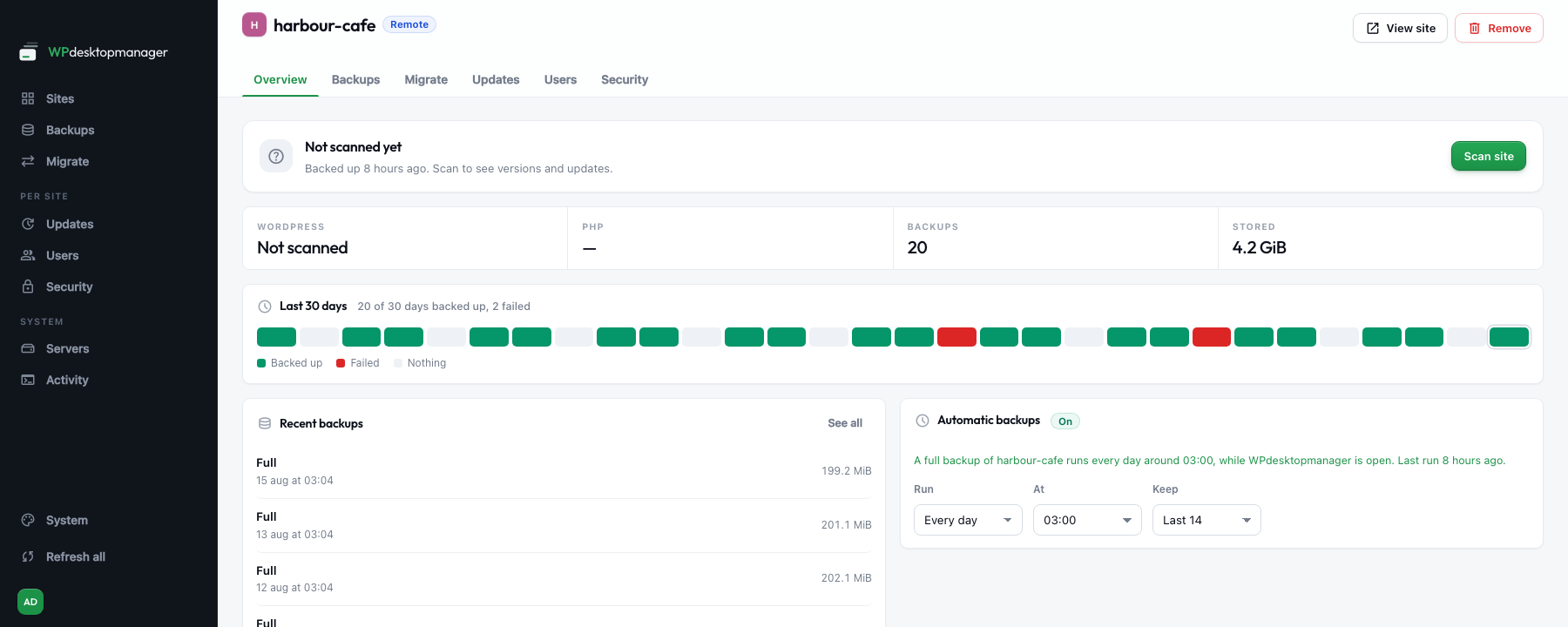
Overview
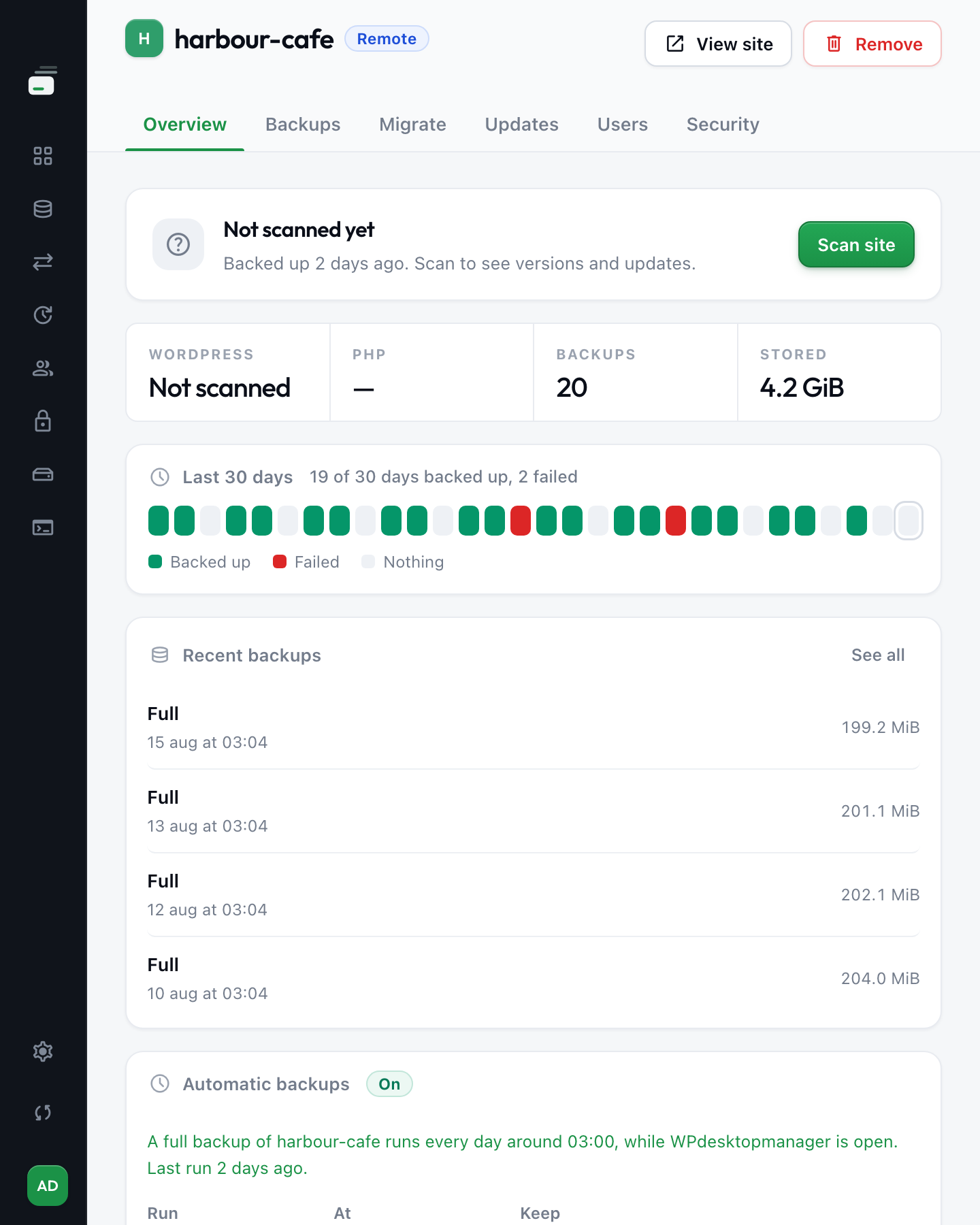
One site, thirty days: which nights it was backed up, which one failed, and what runs on its own.
-
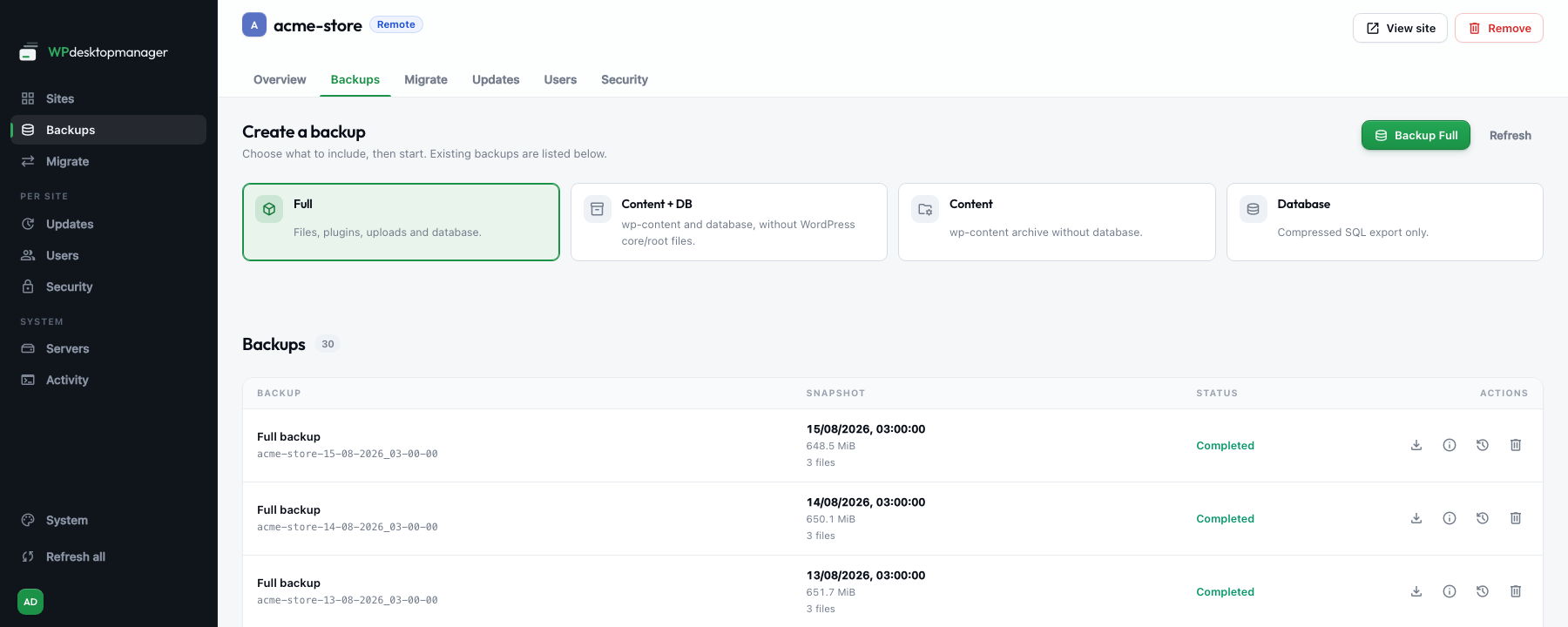
Backups
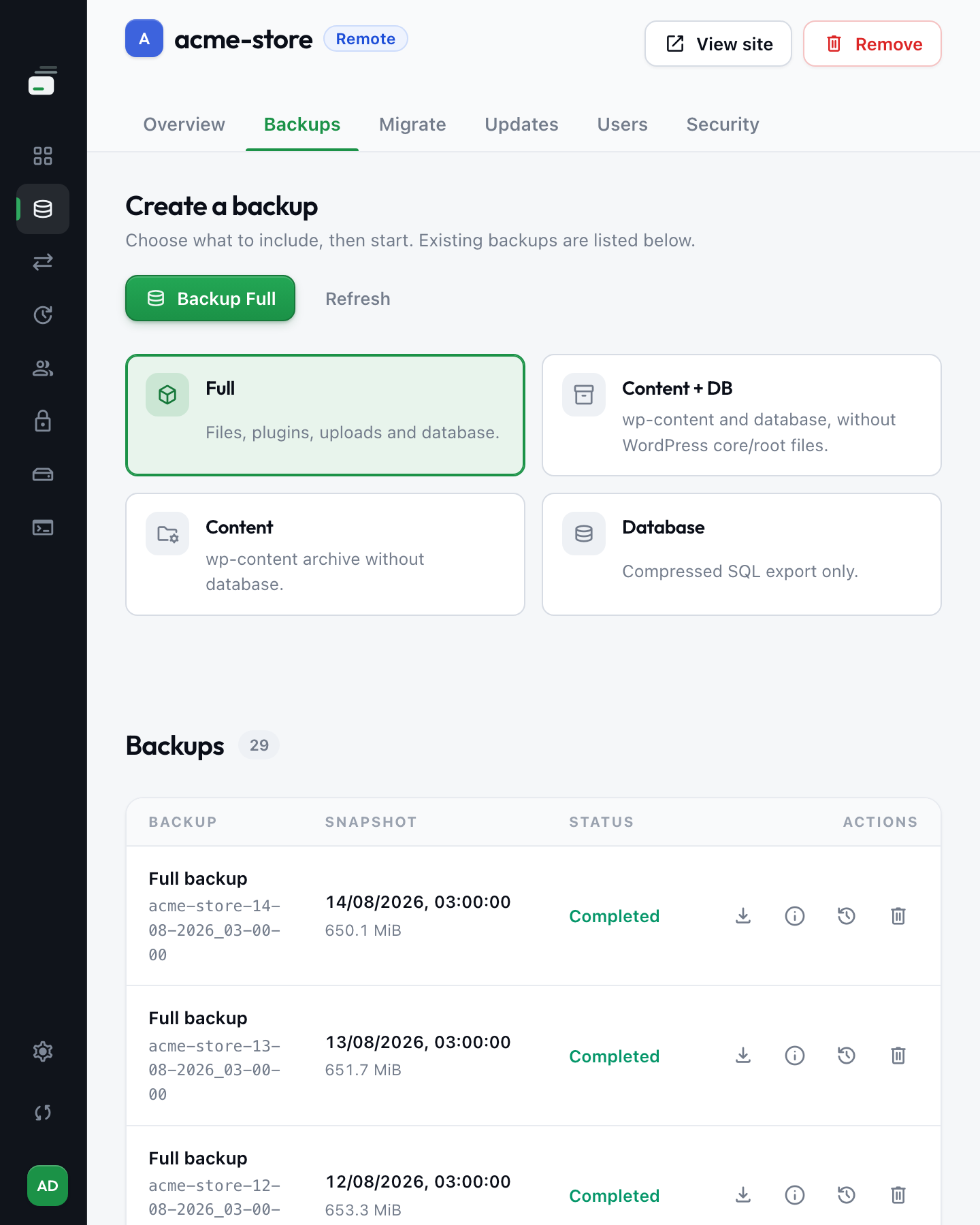
Every copy with its scope, size and date. Reveal it, restore it or delete it.
-
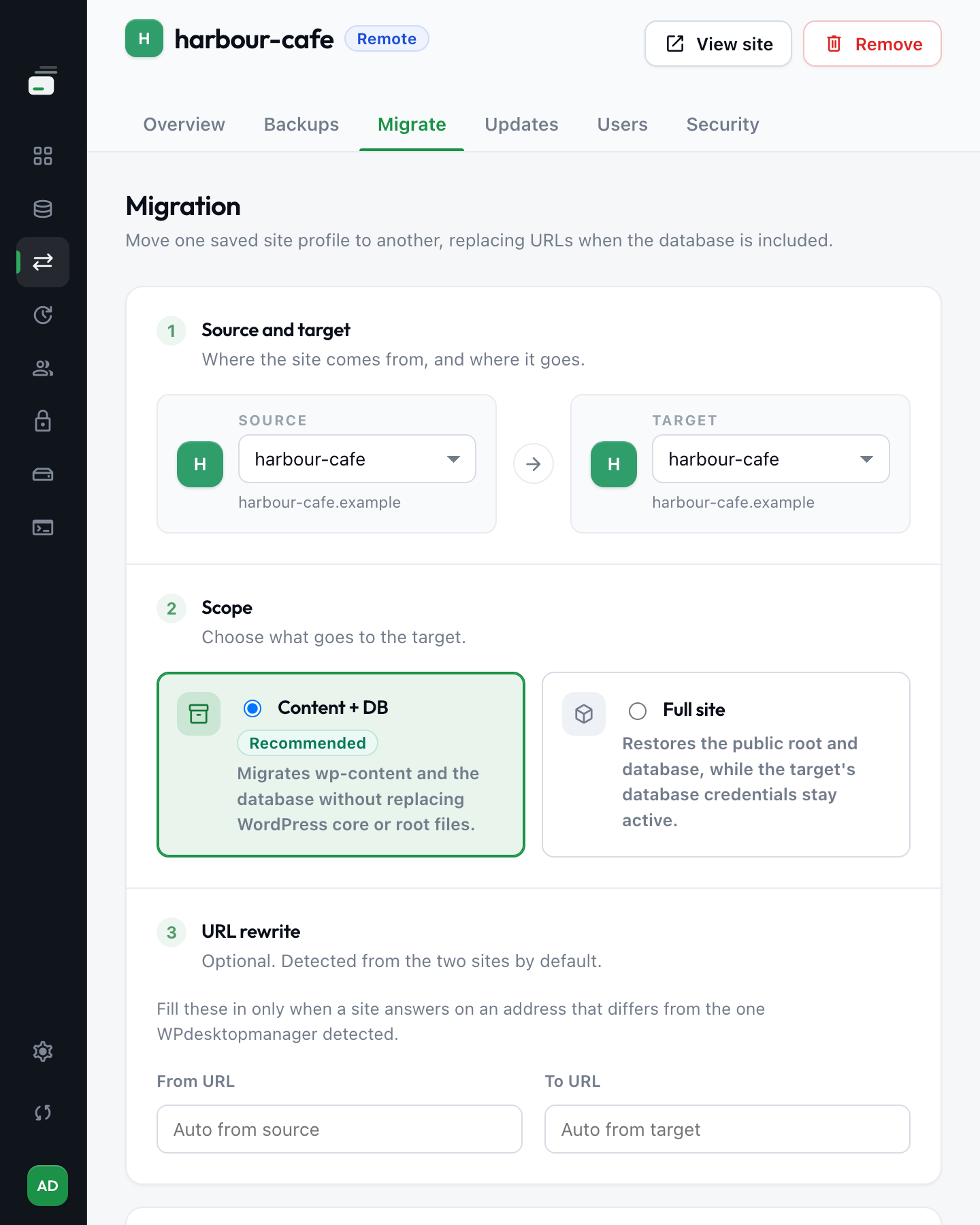
Migrate
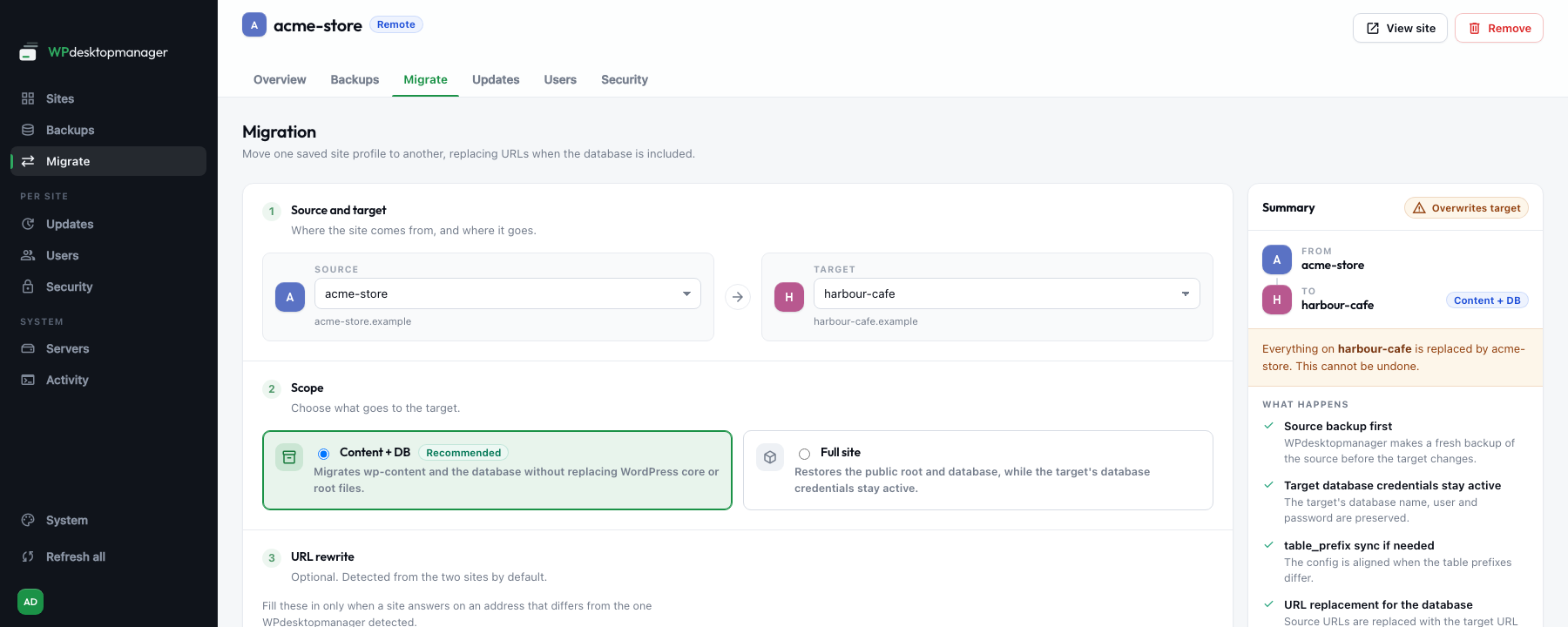
URLs rewritten across the database, the target's credentials kept. You see the summary before you confirm.
-
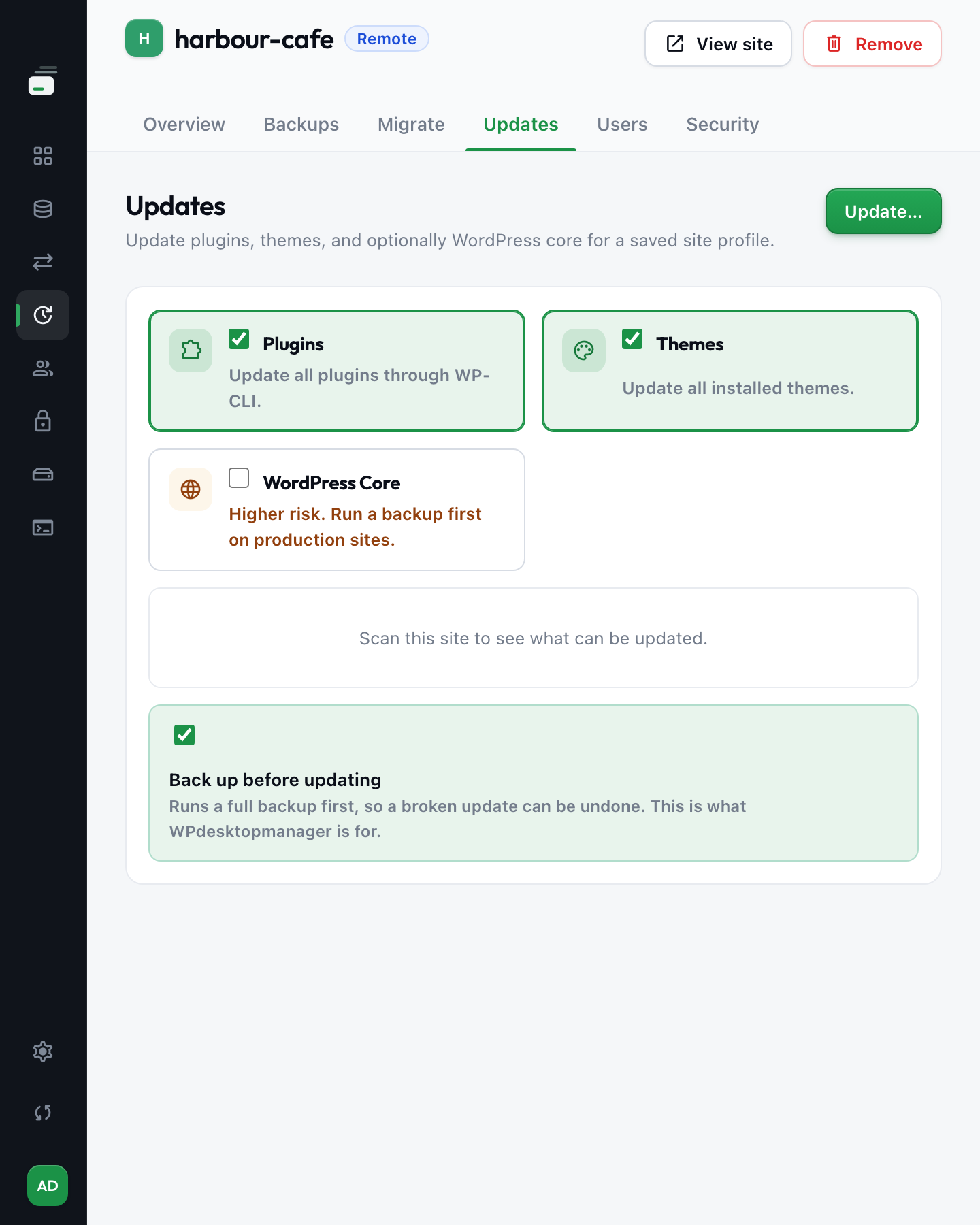
Updates
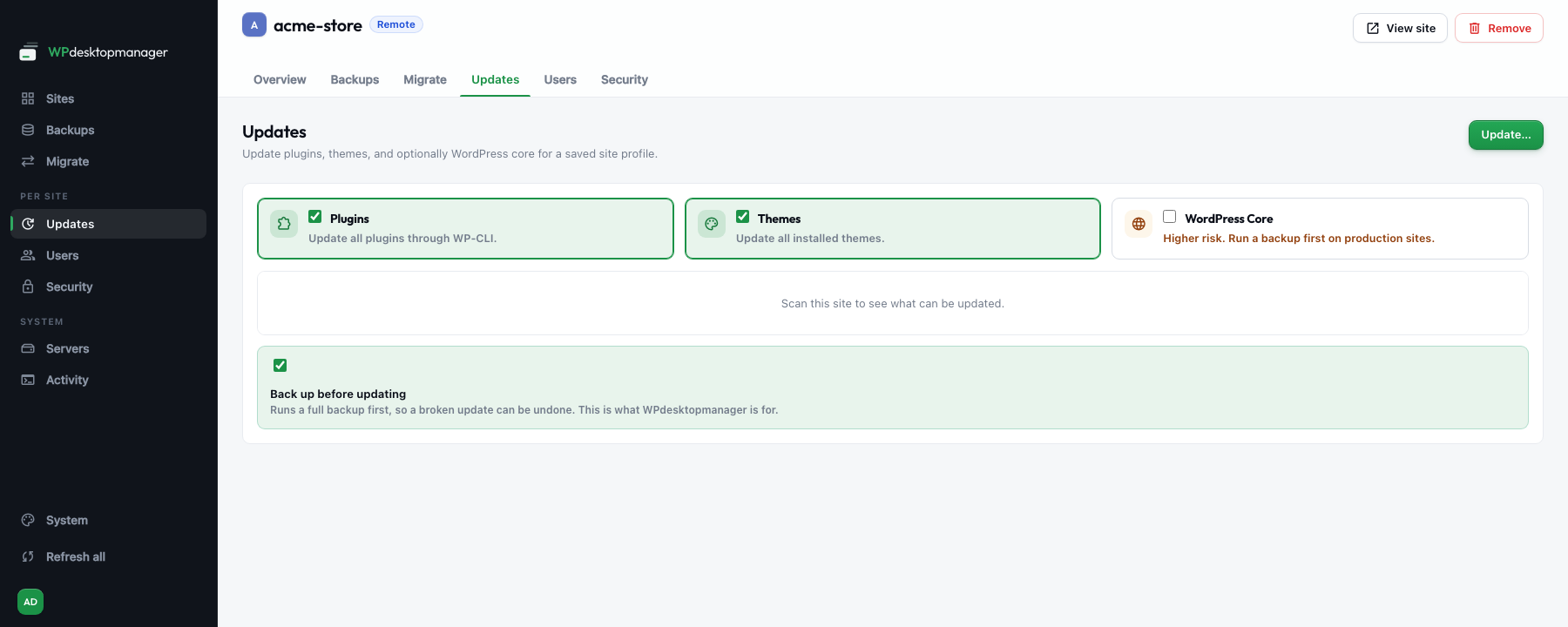
Plugins, themes and optionally core, with a full backup taken first in the same run.
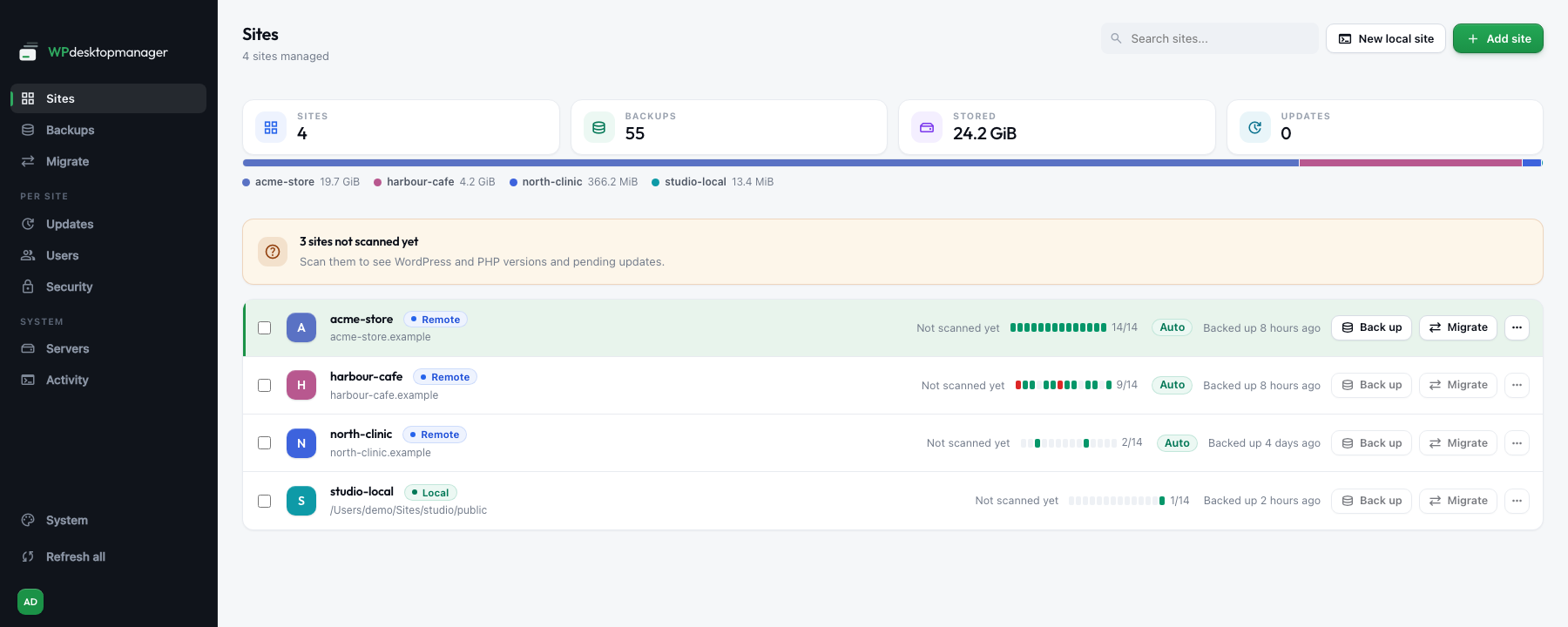
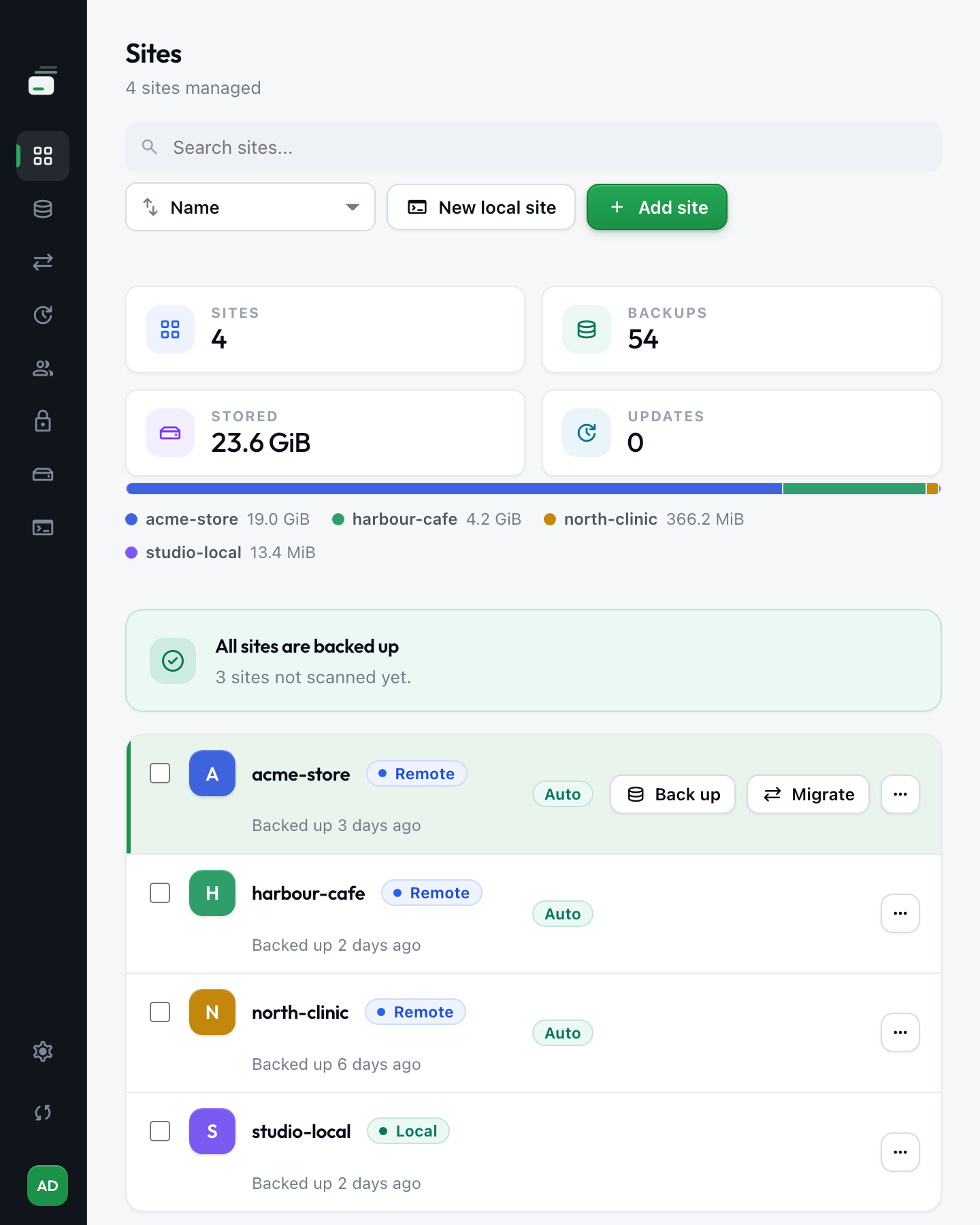
Every site in one list, its last fourteen days of backups on the row, Back up and Migrate right there.
More everyday WordPress tasks, without wp-admin
All per site, from the same list. Anything that changes a live site takes a snapshot first — and a snapshot that fails stops the change.
Scheduled backups
Nightly or weekly, keeping as many copies as you like. A failed run tells you so.
Users and roles
Add an editor, change a role, reset a password.
Maintenance mode
One switch puts a password in front of the whole site.
Error log, on demand
Turn it on for one site, read what it caught, turn it off.
Local test sites
A private WordPress on your own machine in one click, for the change you would rather not test live.
It finds the sites
Point it at a server and it finds the installs — and reads the SSH hosts you already have.
Plugins and themes
See which have an update waiting, then take them all at once.
Clean the database
Revisions, spam, trash and expired caches — counted first, so you choose.
Search and replace
Rewrite a URL across the database, serialised data included. Previewed first, always.
Your backups stay yours
An ordinary compressed archive on your own disk, with a readable manifest beside it. Any archive tool opens it — this one included, and not required.
The work happens beside WordPress, not inside it
That one difference is where the reliability comes from.
A memory or execution limit can stop a large job partway and leave an archive that is not whole. If WordPress will not start, neither will the plugin.
The server packs the whole site into one compressed archive with its own tools. No plugin, no PHP limit, and a broken site can still be reached.
One archive, not an evening of FTP
A WordPress install is tens of thousands of files. You download one.
Recovery from a white screen
A failed update cannot lock out something that never ran inside WordPress.
Nothing passes through us
Your computer talks to your server. No service in between, no port to open.
Five minutes to a verified backup
Your site list, your backups and your keys all live on your own machine, so moving to a new computer means copying a folder.
Add a server
Pick a host from your SSH config, or fill it in once. Tested while you type.
Pick the sites it finds
The app scans the server for WordPress installs. No paths to remember.
Back up, then schedule it
Run the first backup by hand, then set it to repeat nightly.
One licence. Unlimited client sites.
Five sites or five hundred, the same price. No per-site fee, no storage tier — the backups are on your own disk, so there is nothing to meter. Runs on macOS, Windows and Linux.
One computer included
Three days to put it against your own hosting and your own sites, before anything is charged.
Payment details at checkout. Charged €189 only after the trial — cancel before it ends and you pay nothing.
One computer included
Buy it once and it stays yours — this version, and every one that comes after. No renewal date, and no yearly decision to make.
One payment, invoiced through Polar with VAT handled. The three-day trial runs on the yearly licence.
Both licences include
Questions
Anything else goes straight to the developer. Ask a question.
Will it work with my hosting?+
Any host with SSH access, tar, and either WP-CLI or php with mysqldump. That is most managed, VPS and shared hosting. The full list of requirements, or ask about yours.
How long until my first backup?+
Five minutes, from an empty window to a verified backup on your own disk. Add a server, pick the sites it finds there, press Backup — three steps, and the app checks its own work at each one.
What gets installed on my clients' sites?+
Nothing. It uses the SSH access you already have and the tools already on the server, and says up front if a site is missing one.
How does it handle my SSH keys?+
It uses your computer's own SSH client and the keys in ~/.ssh, exactly as your terminal does. No key or password is ever sent anywhere. How connections work.
Can backups run without me?+
Yes. Turn on background backups and the schedule keeps running once the window is closed. It runs from your own computer rather than a server somewhere, so the machine needs to be awake. How schedules work.
How many computers can I use?+
As many as you have seats. The licence covers one computer; each extra one is €5 a month, added from your Polar customer portal whenever you need it. Moving to a different machine costs nothing: release the old one yourself under Licence → Deactivate this computer.
Are my backups mine to keep?+
Yes. Every backup is an ordinary compressed archive and a plain SQL dump on your own disk, readable with the tools any machine already has. Nothing about them depends on this app.
What support is included?+
Email straight to the person who wrote the code, and every new version for as long as your licence runs.
WPdesktopmanager is built and supported by one developer, for the sites I look after myself. When you ask a technical question you get an answer from the person who built the product.
WPdesktopmanager is actively maintained — the current release is 0.8.0 from 19 August 2026. Backups use open archive formats, and your site data never depends on our infrastructure.
Manage unlimited client sites from one desktop app
Without per-site fees, backup plugins or cloud lock-in.
3 days free, then €189 a year · payment details required, nothing charged until the trial ends